
Routing
Splitting and combining signals can yield some of the most creative and interesting results achievable in CarveToy.
Splitters
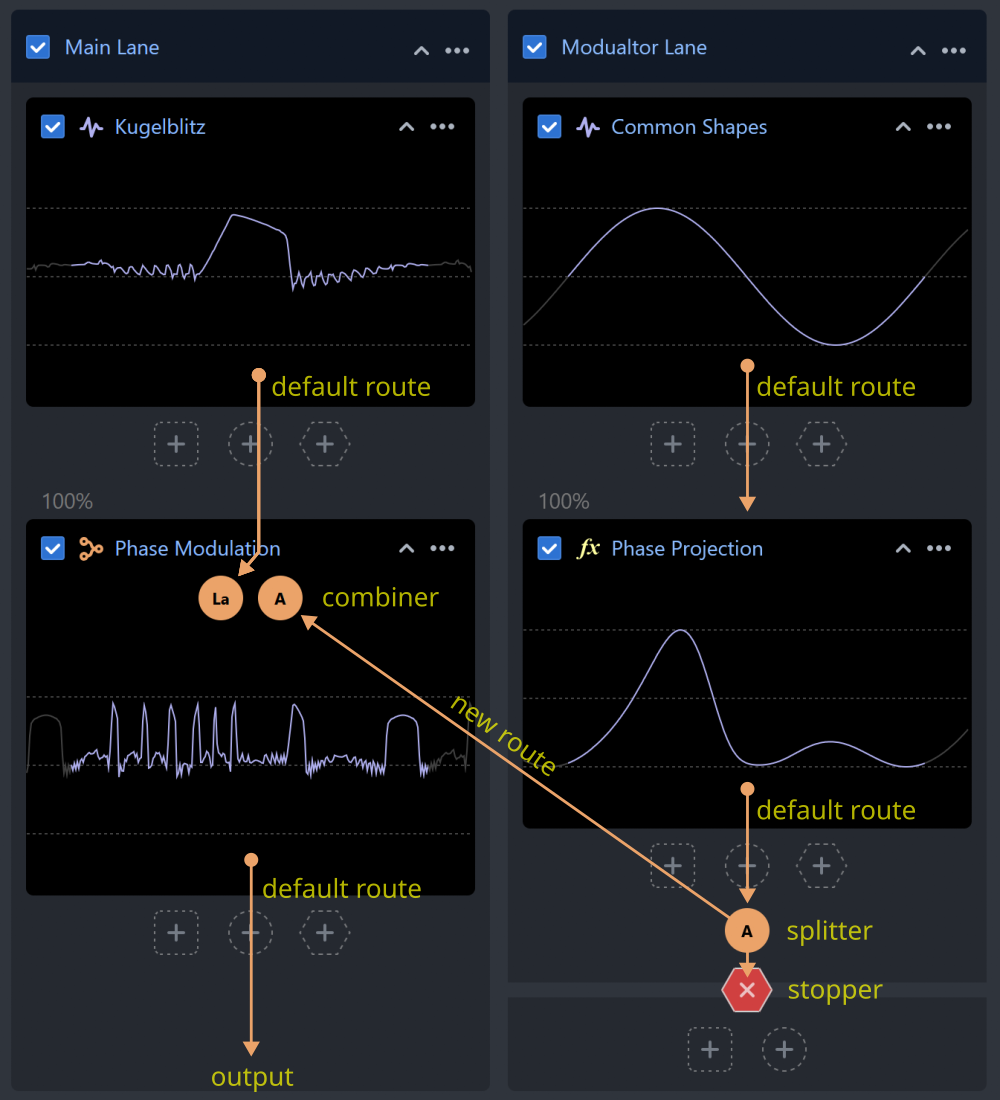
Splitters introduce additional signal routes to the default linear signal flow provided by the lanes. A splitter copies the signal at a specific point in the lane and forwards the copy to a combiner, without affecting the original signal flow.
Combiners
Combiners use one or more input signals, combine them using specific algorithms, and produce a single output signal. Different types of combiners may require specific numbers of inputs and typically implement some form of signal modulation.
The first input is always the default lane's signal (processed in a top-down linear fashion), which is modulated by other signals. Modulators' sample values (amplitudes) influence the samples of the first input on a per-sample basis.
Some combiners can accept a different number of inputs and produce different sounds depending on the number of inputs used.
Stoppers
Stoppers prevent the signal from advancing to the next module. They can be used to stop a lane from producing sound or to divide a lane into multiple "islands," where signals can be routed in, processed, and routed out.
The Mix Combiner
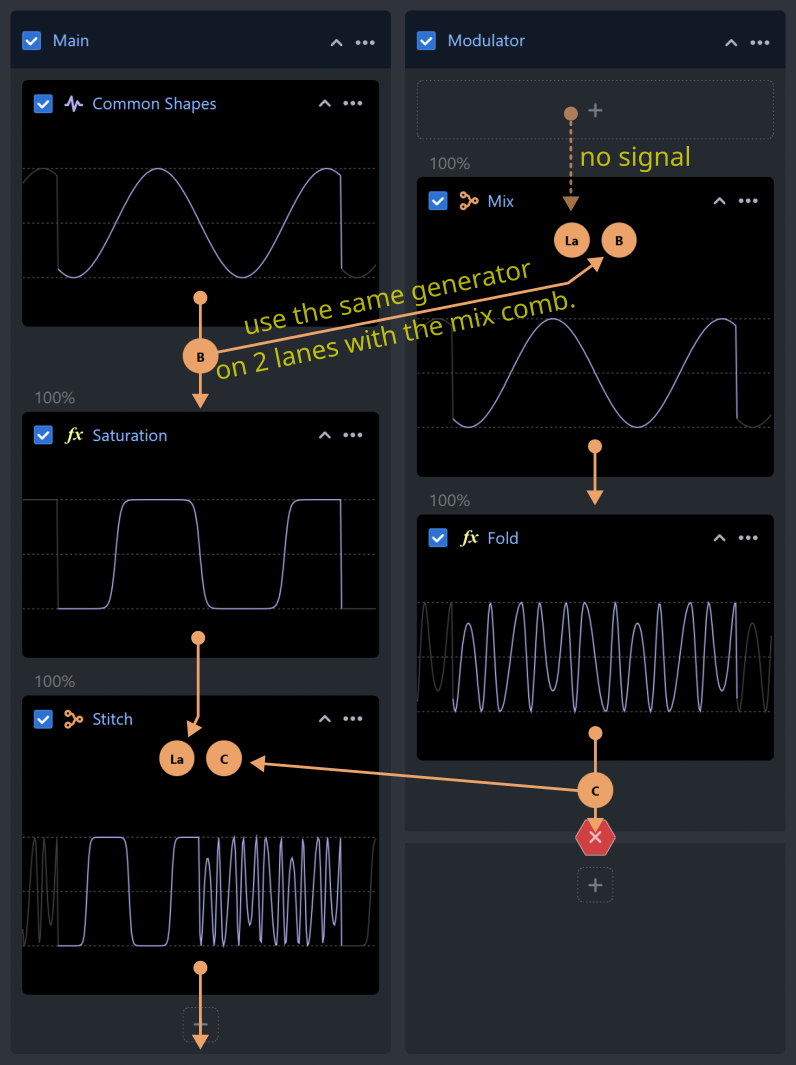
The mix combiner is the most basic combiner, designed to mix all inputs together. It is also the most flexible, as it supports up to 4 inputs. It can be used to route a signal to another lane without any modifications. This can be achieved by routing to a lane without a generator (see the image above) or to a lane immediately following a stopper.
The mix combiner also serves as the default output lane combiner. If you replace it with another type, ensure that the new combiner accepts at least as many inputs as there are lanes in the current project. Combiners will ignore inputs that exceed their maximum allowed value. Ignored inputs are marked in the UI.
Mixing signals before the output combiner
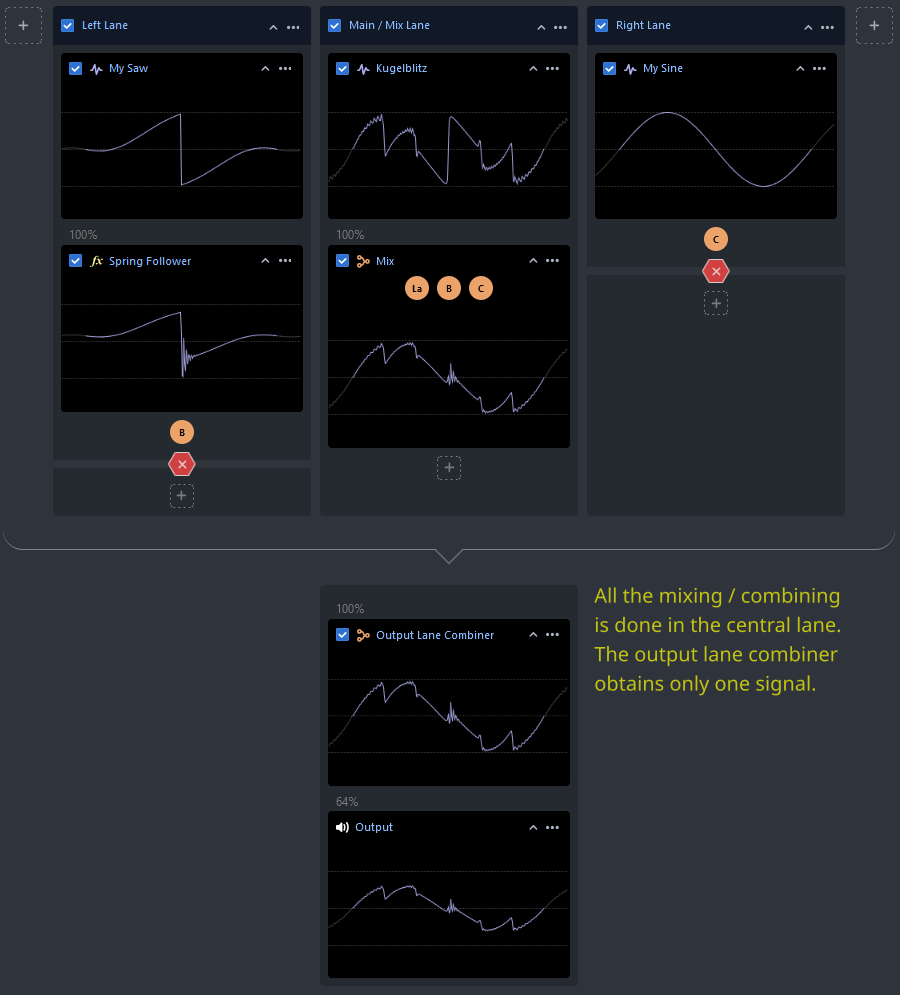
Instead of replacing the output lane combiner, you can combine or mix everything into a single lane, add stoppers to the other lanes, and send a single signal to the default mix output combiner. This approach can also be useful if you want to apply additional effects after combining all lanes into one.